Sign In to Your r789com Account
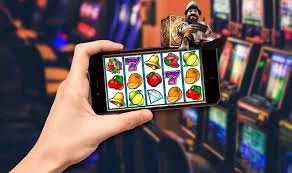
Your r789com account connects you to live casino tables, slots including Gates of Olympus and Teen Patti Flare, and sports markets — all in one lobby.
Local Payment Methods for Your Account
Once you are signed in, topping up your account wallet uses the payment rails you already have on your phone. Open your JazzCash or Easypaisa app, send to the account number shown in the deposit screen, confirm with your PIN, and the balance reflects in your lobby wallet. Raast transfers from your bank account work the same way — initiate from your banking app, use the Raast ID displayed, and funds clear directly. Bank Transfer and Debit Card options are also available for those who prefer them. All deposit methods are accessible from the wallet section of your account dashboard after login.
Help Paths for Login and Account Access
If your login is blocked, your password is not working, or your account needs verification, there are three direct ways to reach us. You do not need to be signed in to start a support conversation — the chat widget sits on the login page itself.
What to Expect When You Sign In
Signing in takes your registered mobile number or email plus your password. If you have two-step verification switched on, a one-time code arrives by SMS — enter it on the next screen and you land straight in the lobby. Forgotten your password? Hit the reset link, confirm your registered number, and a new code comes
through in seconds. Your account wallet shows your current balance and any pending withdrawal requests the moment the dashboard loads. If you are signing in from a new device, we may ask you to confirm your identity with a short verification step — this keeps your account wallet protected. Pakistan players in Karachi and Lahore
reach the lobby on mobile without needing a desktop. Our support team is reachable via live chat directly from the login screen if anything blocks your access.
-
OTP Verification Two-step login sends a one-time code to your registered number. Enter it on the prompt screen and your session opens immediately with no extra steps.
-
Password Reset Request a reset from the login page, confirm your registered mobile number, and a new access code arrives so you can set a fresh password straight away.
-
New Device Check Logging in from an unfamiliar device triggers a short identity confirmation. It protects your account wallet and clears automatically once verified.
-
Live Chat on Login Screen Can't get in? Our support chat is accessible directly from the login page — no need to be signed in to reach us for account access help.
Account
Signing in takes your registered mobile number or email plus your password. If you have two-step verification switched on, a one-time code arrives by SMS — enter it on the next screen and you land straight in the lobby. Forgotten your password? Hit the reset link, confirm your registered number, and a new code comes through in seconds. Your account wallet shows your current balance and any pending withdrawal requests the moment the dashboard loads. If you are signing in from a new device, we may ask you to confirm your identity with a short verification step — this keeps your account wallet protected. Pakistan players in Karachi and Lahore reach the lobby on mobile without needing a desktop.
Open Your AccountYour details are encrypted for secure account access.
Common Questions About Signing In
Answers to the account access questions we hear most from Pakistan players — covering OTP issues, password resets, device verification and wallet access after login.
r789com Login
Service availability depends on eligible regions and local law. Users should check local rules before opening an account.
Access may be available only where local law permits.